What is a Git-based CMS? The Most Practical Way to Run Content "Without a DB"
What is a Git-based CMS? The Most Practical Way to Run Content “Without a DB”
When building a website, you eventually hit questions like:
- “We need to update blog/docs/landing pages often, but we don’t want to run a database.”
- “We want to track who changed what, every time content changes.”
- “We need a workflow where content goes through review before going live.”
One of the cleanest answers is a Git-based CMS. In one line:
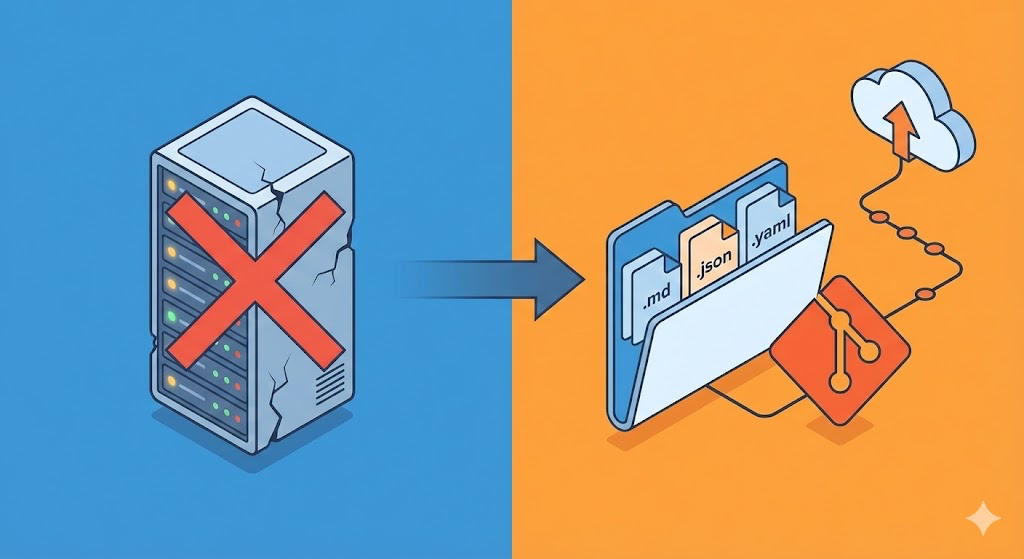
A CMS that stores content as files (Markdown/JSON/YAML) instead of a database, and records every change as a Git commit (or PR).
Core Concepts of a Git-based CMS
1) Content lives in “files”
Traditional CMSs (e.g. WordPress) store content in a database. A Git-based CMS typically stores it like this:
content/posts/hello-world.mdcontent/docs/getting-started.mddata/products.json
So the repo is the CMS’s data store.
2) Changes are recorded as “commits”
When you edit content, the CMS creates a Git commit. That gives you, for free:
- Who changed it (author)
- When (timestamp)
- What changed (diff)
- Rollback (revert)
“Content change history” comes almost for free from Git.
3) Deployment happens via “build”
Most Git-based CMSs pair with static sites (SSG) or hybrid setups (Next.js, Astro, etc.).
The flow is usually:
- Edit in CMS → Git commit/PR created
- CI/CD runs → site builds
- Static assets deploy (Vercel, Netlify, Cloudflare Pages, etc.)
Why a Git-based CMS?
Lower operational cost (less DB/server burden)
- DB backup, migration, and security patching shrink or disappear.
- “Data” is just files; in the worst case, having the Git repo is enough to recover.
Natural collaboration and review
If you run on PRs, content can be reviewed like code:
- Draft → open PR
- Review (copy/fact-check) → approve
- Merge → auto-deploy
The more content editors you have, the more this structure pays off.
Good performance
Static sites are fast by default:
- Cache- and CDN-friendly
- Lower server cost
Downsides (where many go wrong)
1) Not a fit for write-heavy apps
Comments, likes, orders, shopping carts—apps where users write data often—don’t fit a Git-based CMS well.
- Commit volume explodes
- Concurrent edits and merge conflicts increase
- Frequent builds mean higher deploy cost and time
2) Complex search, filters, and relational data are harder
“Posts by tag,” “sort by popularity,” “relational joins” are what databases are good at.
You can work around this in a Git-based CMS, but usually by:
- Generating index JSON at build time
- Pre-building tag/list pages
- Plugging in a search engine (e.g. Algolia)
So performance can be great, but design and implementation get harder.
3) Build time grows with content size
With thousands (or tens of thousands) of posts, build and deploy time become significant. Then you need a hybrid strategy (e.g. ISR, incremental builds).
What kind of site fits best?
Git-based CMS fits especially well for:
- Company/marketing and landing pages
- Blogs and newsrooms
- Product or service documentation
- Portfolios and case studies
- Static catalogs (pricing, menus, course info)
For the following, a hybrid (Git-based CMS for content only, other storage for the rest) is usually better:
- Members, login, permissions
- Comments, reviews, forums
- Payments, orders, inventory
Types of Git-based CMS (by category)
A) “Add /admin to the site”
- Attach a CMS UI to a static site; edits create commits in the repo.
- Pros: Simple setup, works well with SSG.
- Cons: Edit UX varies by project; limits depend on configuration.
B) “Built into the framework”
- CMS features integrated into Next.js, Astro, etc.
- Pros: Good developer experience, easy to customize.
- Cons: Heavier initial setup than A.
C) “Commercial / hosted”
- Often smoother for non-developer editors.
- Collaboration, permissions, preview, etc.
- Cons: Cost and possible vendor lock-in.
Practical architecture (recommended pattern)
“Content in Git, dynamic data elsewhere”
A realistic setup is:
- Posts/docs/pages: Git-based CMS (files + commits)
- Likes, view counts, simple config: Serverless storage (e.g. KV)
- Users, payments, transactions: A proper DB (SQLite, Postgres, etc.)
So use a Git-based CMS only for content, and keep service data in the right store.
Adoption checklist (don’t skip this)
- Who edits?
If many editors are non-developers, UI, permissions, and preview matter a lot. - Do you need review?
If you want PR-based review, a Git-based CMS shines. - How often do you update?
If you change content dozens of times a day, think about build and deploy cost. - Are search, filters, and lists central?
Plan for build-time indexing or an external search service. - Will content scale up?
Think ahead about ISR, caching, and build optimization.
Bottom line: “Running without a DB” usually means a Git-based CMS
A Git-based CMS fits the goal of “running content without a database” very well:
- Change history, collaboration, review: Git handles it
- Deployment and performance: static build + CDN
- Operational cost: low
But forcing all service data into Git is a mistake. Use Git-based CMS for content only; keep the rest in KV, SQLite, or a proper DB.