Web-Based Mobile Apps: The Practical Guide (PWA, WebView Wrappers, and Native Alternatives)
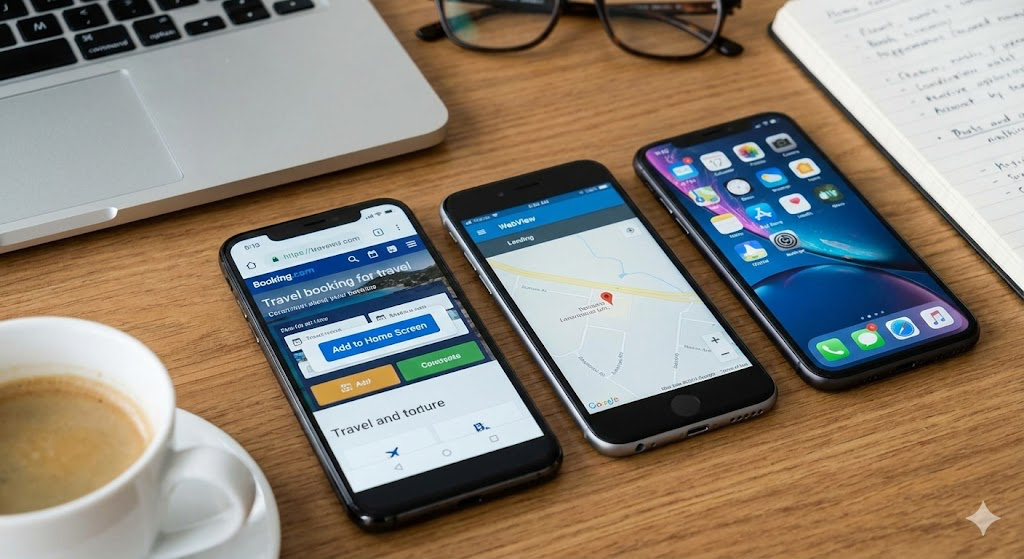
“Web-based mobile app” usually means one of two things:
- A web app that runs in the mobile browser (sometimes installable as a PWA)
- A web app packaged as an Android/iOS app (a WebView wrapper like Capacitor)
They look similar to users, but they behave differently in performance, device access, store distribution, and long-term maintenance. This post breaks down the options without pretending one approach wins everywhere.
What “web-based mobile app” really is
A web-based app uses HTML/CSS/JavaScript for the UI and logic. The question is: where does it run?
- Browser (PWA): Runs in Chrome/Safari like a website, with optional “install” experience.
- WebView app (Capacitor/Cordova/custom): Runs inside a native app shell, but still renders the UI in a WebView.
- Native UI frameworks (React Native/Flutter): Not truly web-based UI; they render native (or framework-native) UI, but you still code once for multiple platforms.
Option 1: PWA (Progressive Web App)
What it is
A PWA is a web app enhanced with things like a web app manifest and a service worker to enable offline caching, install prompts (varies by platform), and app-like behavior.
When it’s a good fit
- You want one codebase and instant deployment (no app store approval loops).
- The app is mostly content + forms + dashboards.
- Offline support is “nice to have,” not mission-critical.
Where PWAs disappoint
- iOS limitations still exist in areas like background behavior and some APIs.
- Push notifications are complex across platforms and historically uneven (especially on iOS depending on OS version and policies).
- Monetization and store discovery are different vs native apps.
If your product is basically a web product, a PWA is often the most honest solution.
Option 2: TWA (Trusted Web Activity) for Android
What it is
A Trusted Web Activity is Google’s Android approach to shipping your web experience as an app-like package using Chrome under the hood. It’s common when people want “our website in the Play Store.”
When it’s a good fit
- You mainly care about Android and want Play Store distribution.
- You don’t need deep native features beyond what the web can do.
- You already have a strong, mobile-optimized site.
Drawbacks
- You’re still constrained by “web app realities.”
- Deep native integration is not the point of TWA.
Think of TWA as: “PWA + Play Store wrapper,” not “full app platform.”
Option 3: WebView Wrappers (Capacitor, Cordova, or custom WebView)
What it is
Your app UI runs in a WebView, but the packaging is a real Android/iOS app. You can bridge JavaScript to native APIs.
Why Capacitor exists
If you do “just a WebView,” you quickly end up rebuilding the same stuff:
- file chooser/upload handling
- deep links + intents
- permissions flow
- push notifications
- camera/gallery access
- back-button + navigation integration
- lifecycle issues (background/foreground, process death)
Capacitor (and older alternatives like Cordova) standardize that work with:
- a predictable native project structure
- a plugin system
- tooling for builds and platform integration
When WebView wrappers are a good fit
- You want to reuse your web UI (React/Vue/etc.) and ship to Android/iOS.
- You need native features but not a fully native UI.
- You want store distribution while still moving fast with web tooling.
When they’re a bad fit
- You’re building something extremely animation-heavy, graphics-heavy, or performance-sensitive where a WebView will feel “webby.”
- You need a very platform-native UX with deep OS integration and background work.
Capacitor vs “custom WebView”
- Custom WebView: simple at day 1, messy by day 30.
- Capacitor: more setup up front, less chaos later.
If the project will grow, “just a WebView” is usually technical debt you’re choosing on purpose.
Option 4: React Native / Flutter (not web UI, but cross-platform)
These are not “web-based” in the UI sense, but they are common alternatives when people think they want a web-based app but actually want a native-feeling app.
React Native
- Best if you’re already a React developer and want native components.
- You rewrite UI using RN components (not HTML/CSS).
Flutter
- Excellent performance and consistent UI across platforms.
- You build UI in Flutter’s framework (Dart).
Use these when UX polish and native performance matter more than reusing a web UI.
A decision checklist (pick the least painful path)
Ask these questions:
1) Do you need app-store distribution?
- No → PWA
- Yes (Android only) → TWA
- Yes (Android + iOS) → keep reading
2) Do you need native device features?
- Not really → PWA or TWA
- Yes → Capacitor (WebView wrapper) or RN/Flutter
3) Do you want to reuse your existing web UI?
- Yes → Capacitor
- No / OK with rebuilding UI → React Native or Flutter
4) Is performance and “native feel” a top requirement?
- Yes → React Native / Flutter
- No / moderate → Capacitor
Common pitfalls (this is where projects fail)
“It’s just a wrapper” turns into a real app
The moment you add:
- push notifications
- login persistence
- file upload/download
- deep links
- offline mode
it stops being “just a wrapper.” Plan for that from day one or accept the debt.
Offline isn’t a checkbox
Offline means:
- caching strategy
- conflict resolution
- background sync constraints
If you don’t want to think about those, don’t promise offline.
Mobile UX isn’t desktop UX
Touch targets, scroll behavior, keyboard handling, safe areas, back navigation—web apps need real mobile design work to feel acceptable.
A sane “default” recommendation
- If you’re a web team and your product is web-first: PWA first, then package if needed.
- If you need store + native features but want web reuse: Capacitor.
- If you need the best native feel: React Native or Flutter.
That’s the honest trade-off: speed and reuse vs native feel and deep integration.